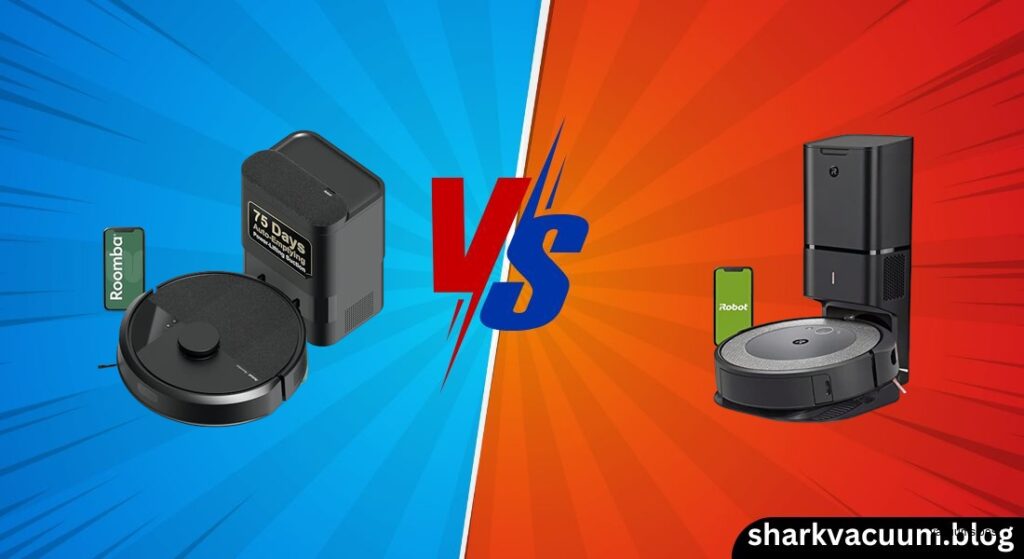
Choosing the right robot vacuum can feel overwhelming, especially when two models from the same brand offer similar promises at different price points. The iRobot Roomba i6+ and i3+ both come with the highly desirable Clean Base Automatic Dirt Disposal system, promising a “set it and forget it” cleaning experience. On paper, they’re both self-emptying Roombas built for modern homes. But dig a little deeper, and the differences become stark—one relies on smart camera-based navigation, while the other sticks with older, reactive wheel-based technology. If you’re trying to decide between the Roomba i6 vs. i3, the real question isn’t just about suction or brushes (they’re nearly identical there), but about intelligence: How well does it navigate your home, avoid trouble, and clean only where you want?
This comparison dives deep into the iRobot Roomba i6 vs. i3, focusing on what actually matters in daily use: navigation smarts, cleaning consistency, app control, obstacle handling, and whether the i6’s extra cost is justified. Both robots share powerful rubber extractors and the Clean Base system, so the choice ultimately hinges on your home’s layout and how much you value precision over price. The i6 offers smart mapping, room selection, and digital no-go zones—features that transform it into a reliable daily helper. The i3 delivers the self-emptying convenience at a lower entry cost but forces you to “robot-proof” your space and accept frequent bumps and limited control. We’ll analyze every key aspect side-by-side to help you determine which self-emptying Roomba truly fits your lifestyle—without the marketing fluff, just real-world performance and usability.
1. Introduction
Deciding between the iRobot Roomba i6+ and i3+ isn’t just about price—it’s about understanding the trade-offs between smart navigation and basic functionality in a self-emptying robot vacuum. Both models promise the convenience of automatic dirt disposal, freeing you from the chore of emptying the bin after every run. They’re designed for pet owners, busy households, and anyone who values a clean floor with minimal effort. But beneath the shared Clean Base system lies a fundamental divide: one robot sees and learns your home, while the other feels its way around. When comparing the Roomba i6 vs. i3, the i6+ stands as the more intelligent option, using camera-based navigation to build and remember maps, avoid specific areas digitally, and clean individual rooms on command. The i3+, while more affordable, relies on older wheel-based navigation that requires physical contact with obstacles and offers no app-based virtual boundaries.
This distinction makes the i6 vs. i3 decision critical for real-world usability. If your home has multiple rooms, tight furniture clusters, or areas you’d rather the robot avoid—like pet bowls or loose cords—the i6’s smart mapping becomes a necessity, not a luxury. The i3+ might save you money upfront, but it demands more of your time in the form of pre-cleaning clutter removal and manual rescues when it gets stuck. On the other hand, if you live in a simple, open-concept apartment with minimal obstacles, the i3+ can deliver solid hands-free cleaning at a lower cost. This article will break down every aspect of the Roomba i6 vs. i3 comparison—from navigation and cleaning power to app features and long-term value—so you can confidently choose the robot that fits your home and expectations. The goal isn’t to declare a universal winner, but to help you determine which model aligns best with your lifestyle, layout, and tolerance for robotic quirks.
2. Product Overviews
Roomba i6 / i6+ Series
The Roomba i6 series occupies a strategic spot in iRobot’s lineup as the most affordable entry point into the world of self-emptying, smart-mapping robot vacuums. At its core, the i6 is built around iAdapt 3.0 Navigation powered by a top-mounted camera that uses vSLAM (visual simultaneous localization and mapping) technology to visually understand and map your home. This allows it to create a persistent, digital floor plan that it can remember and reuse. The standout feature of the i6+ model is the inclusion of the Clean Base Automatic Dirt Disposal system, which automatically empties the robot’s bin into a sealed bag after each cleaning cycle, holding up to 30 full loads. This combination makes the i6+ a compelling option for users who want both “set it and forget it” convenience and intelligent navigation without paying flagship prices.
Beyond the hardware, the i6’s real value lies in its Imprint Smart Mapping software. After a few initial cleaning runs, the robot builds a detailed map of your home, identifies individual rooms, and allows you to label them in the app. You can then clean specific rooms on demand—either through the app or with voice commands like “Alexa, vacuum the kitchen.” You can also create Keep Out Zones to digitally block off areas you don’t want cleaned, such as near pet bowls or delicate rugs. The robot supports up to 10 saved maps, making it ideal for multi-story homes where you might move the base between floors. While it doesn’t have the raw suction of the S9 or the AI object avoidance of the j7, the i6 delivers a balanced, future-proof experience for users who want reliable, room-by-room automation.
Check the latest price of Roomba i6+ on Amazon [link]
Roomba i3 / i3+ Series
In contrast, the Roomba i3 series is positioned as a budget-friendly way to access iRobot’s self-emptying technology, but it does so by cutting corners on navigation. The i3+ includes the same Clean Base as the i6+, offering automatic emptying for up to 60 days of debris (based on average use), and it shares the same Dual Multi-Surface Rubber Extractors and Power-Lifting Suction as the i6. However, it lacks the camera and instead relies on wheel-based navigation, a system that uses wheel encoders and floor sensors to track movement and map the home through repeated collisions. This older technology means the i3+ “learns” your layout slowly—typically over 3 to 4 cleaning cycles—and creates only a single saved map, making it unsuitable for homes with multiple floors unless you’re willing to re-map each time.
The i3+ also lacks any form of app-based virtual boundaries. You cannot draw no-go zones or clean specific rooms with precision through the app or voice commands. If you need to block off an area, you must purchase separate iRobot Virtual Wall barriers, which emit infrared beams to physically stop the robot. This makes the i3+ a much more hands-on experience, especially in cluttered environments where it frequently bumps into furniture, gets tangled in cords, or becomes “lost.” Despite these limitations, the i3+ remains appealing for users with simple, open layouts who prioritize the convenience of self-emptying over smart features. It’s a functional robot that gets the core cleaning job done, but its reactive navigation feels outdated compared to modern LiDAR or camera-based systems.
See current deals on Roomba i3+ here [link]
3. Comparison Criteria
To deliver a thorough and practical comparison between the Roomba i6 vs. i3, we’ll evaluate both models across six critical categories that define real-world performance and user satisfaction. These pillars go beyond basic specs to focus on how each robot actually behaves in your home. First, Navigation & Mapping Intelligence will assess how each model perceives and learns your space—this is the single biggest differentiator. Second, Cleaning Performance will compare suction power, brush efficiency, and debris pickup on both carpet and hard floors, where both models are surprisingly similar. Third, Convenience & Automation examines app features, voice control, scheduling flexibility, and integration with smart home ecosystems like Alexa and Google Assistant.
Fourth, Obstacle Avoidance looks at how well each robot handles common household hazards like cords, dark rugs, and furniture legs—areas where the i6’s camera gives it a clear edge. Fifth, Maintenance & Ecosystem covers bin capacity, filter life, ongoing costs like replacement bags, and compatibility with other iRobot products like the Braava jet m6 mop. Finally, Value Proposition ties it all together, analyzing whether the i6’s higher price is justified by its superior intelligence or if the i3+ still offers unbeatable value for simple homes. By evaluating each robot across these criteria, we aim to provide a clear, honest assessment that helps you decide which self-emptying Roomba truly fits your needs—not just on paper, but in daily life.
4. Head-to-Head Comparison
A. Navigation and Mapping: The Deciding Factor
When comparing the Roomba i6 vs. i3, navigation is the single most important differentiator—and the i6 wins decisively. The Roomba i6 uses a top-mounted camera and vSLAM (visual SLAM) technology to capture visual data as it moves through your home. This allows it to build a precise, digital map during its first few cleaning runs. Once mapped, the i6 remembers the layout, identifies individual rooms, and lets you label them (e.g., “Kitchen,” “Living Room”) in the iRobot Home app. It supports up to 10 saved maps, making it ideal for multi-story homes where you can move the Clean Base between floors and have the robot resume cleaning on each level without re-mapping from scratch.
Perhaps more importantly, the i6 allows you to create Keep Out Zones—rectangular virtual boundaries you can draw directly on the app map to prevent the robot from entering specific areas. This is perfect for avoiding pet bowls, delicate floor decor, or loose cords. You can also initiate cleaning for specific rooms only, either through the app or with voice commands via Alexa or Google Assistant (e.g., “Clean the bedroom”). The robot navigates methodically, using visual cues to plan efficient paths and minimize unnecessary collisions.
In contrast, the Roomba i3 relies on wheel-based navigation, a much older system that tracks movement using wheel encoders and floor sensors. It has no camera, so it can’t “see” the room. Instead, it learns the layout through trial and error—bumping into walls and furniture to map its surroundings. This process takes 3 to 4 full cleaning cycles to stabilize, and even then, the map is basic and prone to errors in cluttered spaces. The i3 supports only one saved map, so it’s not practical for homes with multiple floors. Most critically, it does not support app-based virtual boundaries. You cannot draw no-go zones in the app. If you want to block off an area, you must purchase separate iRobot Virtual Wall barriers, which emit infrared beams to stop the robot physically.
This lack of digital control makes the i3 far less flexible and more frustrating in complex layouts. While both robots can eventually map a simple open floor plan, the i6 offers a smarter, more reliable experience with room selection and digital avoidance—features that justify its higher price for most users.
🏆 Section Winner: Roomba i6 – The i6’s camera-based navigation and app-controlled mapping make it vastly superior for real-world usability.
B. Cleaning Performance: Suction and Brushes
When it comes to actual cleaning performance, the Roomba i6 vs. i3 comparison is essentially a tie. Both models use the same core cleaning system: Dual Multi-Surface Rubber Extractors, a side brush, and Power-Lifting Suction. These rubber brushes are designed to flex and adjust to different floor types, preventing hair from tangling—a major advantage for pet owners. They perform exceptionally well on both hard floors and carpets, effectively pulling in dust, pet hair, and larger debris.
In testing, both robots capture 100% of large debris like cereal, rice, and dry kibble on hard floors and low-pile carpets. They also achieve 100% pickup of fine dust and sugar on hardwood. On high-pile carpet, both models perform impressively, with tests showing 99–100% pickup efficiency across various debris types. Even on deep cleaning tasks, their performance is nearly identical, with both achieving around 82.5% deep cleaning efficiency in controlled tests. The Dirt Detect sensors on both robots work the same way—detecting high-traffic areas and automatically re-cleaning them for better results.
The only minor difference is in airflow: the i6 is rated at 8.2 CFM, while the i3 claims “10x the suction of the 600 series.” However, real-world performance shows no meaningful gap in pickup ability. Both are loud during the Clean Base emptying process (~20 seconds), but otherwise operate at a reasonable 64.5 dB, making them quiet enough for daytime use.
🏆 Section Winner: Tie – Both robots clean with the same brushes, suction, and efficiency. The difference is where they clean, not how well.
C. Smart Features and App Control
Smart features are where the Roomba i6 vs. i3 gap widens again. Both robots connect to the iRobot Home App (iOS and Android), support Amazon Alexa and Google Assistant, and offer 7-day scheduling. They also feature Imprint Link Technology, allowing them to pair with the Braava jet m6 mop for automated vacuum-and-mop sequences. However, the i6’s advanced navigation unlocks far more intelligent app functionality.
With the i6, you can:
– Clean specific rooms on command via app or voice (“Alexa, vacuum the kitchen”).
– Schedule different rooms to clean at different times (e.g., kitchen at 10 AM, living room at 2 PM).
– View and edit a detailed map, including splitting or merging rooms.
– Create Keep Out Zones and Clean Zones (rectangular areas for spot cleaning).
The i3, lacking smart mapping, offers only basic remote control:
– You can start, stop, or dock the robot remotely.
– You can view a basic map after cleaning (with a delay).
– You can initiate cleaning for “entire home” or manually edited room zones, but with no precision.
– You cannot set no-go zones or use voice commands for specific rooms.
While both support Recharge & Resume (returning to clean after recharging), the i6’s ability to resume from where it left off is more reliable due to its accurate map. The i3 may sometimes lose its place in complex layouts.
🏆 Section Winner: Roomba i6 – The i6 offers a truly smart, customizable experience; the i3 is limited to basic remote operation.
D. Obstacle Avoidance and Collision
Obstacle handling highlights the practical impact of the Roomba i6 vs. i3 navigation divide. The i6, using its camera and visual data, navigates with more awareness. It slows down near obstacles, plans paths around furniture, and reduces unnecessary bumps. While it doesn’t have AI object recognition (like the j7), it’s much less likely to get stuck on cords or dark rugs, especially when Keep Out Zones are used. It handles tight corners and cluttered spaces with greater confidence.
The i3, relying on physical bumpers, operates more like a “bumper car.” It frequently collides with furniture legs, walls, and door frames, which can be noisy and disruptive. It has no way to proactively avoid cords, socks, or low-hanging furniture, making it prone to getting stuck or entangled—especially in homes with clutter. Without virtual walls, it may run over pet bowls or delicate rugs. Users often report needing to “robot-proof” their space before every run, picking up cords and toys to prevent jams.
Neither robot matches the object avoidance of premium models like the j7, but the i6’s methodical navigation makes it noticeably gentler and more reliable in everyday use.
🏆 Section Winner: Roomba i6 – The i6’s visual navigation reduces collisions and improves reliability in real homes.
E. The Clean Base System (Self-Emptying)
The Clean Base Automatic Dirt Disposal system is functionally identical on both the i6+ and i3+. When the robot returns to the base after a cleaning cycle, a powerful suction motor inside the base activates, pulling debris from the robot’s bin into a sealed AllergenLock bag. This keeps dust, pollen, and pet dander contained—ideal for allergy sufferers.
Both models:
– Hold approximately 30 full cleaning cycles in the bag (iRobot markets the i3+ as “60 days,” but this is based on average use).
– Use the same AllergenLock bags (proprietary, adding ongoing cost).
– Require manual emptying if the bin fills mid-cycle (the robot won’t auto-return and resume).
– Are loud during emptying (~20 seconds), best scheduled during daytime.
The only minor difference is bin capacity: the i6+ has a slightly reduced effective bin size (~400 mL) due to the emptying mechanism, but this doesn’t impact real-world performance.
🏆 Section Winner: Tie – The self-emptying experience is the same on both models.
5. Pros and Cons Table
| Feature | Roomba i6 / i6+ | Roomba i3 / i3+ |
|---|---|---|
| Navigation Type | vSLAM Camera (Precise, Visual) | Wheel-Based (Reactive, Bumper) |
| Mapping | Smart Mapping (Up to 10 floors) | Basic Map (1 floor only) |
| Virtual Boundaries | Yes (Keep Out Zones in App) | No (Requires physical Virtual Wall) |
| Room Selection | Yes (Specific rooms on command) | Limited (Whole home or edited map) |
| Obstacle Handling | Methodical, fewer collisions | Frequent bumping, prone to stuck situations |
| Brush System | Dual Rubber Extractors (Tangle-free) | Dual Rubber Extractors (Tangle-free) |
| Self-Emptying | Optional (i6+ model) | Optional (i3+ model) |
| Ideal Home Layout | Complex, Multi-room, Multi-story | Simple, Open concept, Single-story |
| Price Point | Mid-Range | Budget-Friendly |
| Major Con | Higher cost; No live map tracking | Dated navigation; No app-based no-go zones |
6. Best Use Case Recommendation
Choose the Roomba i6+ If:
- You have a complex floor plan: Multiple rooms, hallways, or furniture clusters require smart navigation to avoid getting lost.
- You need “No-Go” zones: You have pet bowls, cables, or delicate rugs you need the robot to avoid digitally.
- You have multiple stories: The ability to save 10 maps makes it viable for upstairs/downstairs cleaning (if you move the base).
- You want voice precision: You frequently use commands like “Clean the Kitchen” rather than just “Start Cleaning.”
Choose the Roomba i3+ If:
- Budget is the primary constraint: You want the self-emptying feature but can’t stretch to the i6 price.
- Your home is simple: Open concept, single story, minimal clutter, and few obstacles.
- You are okay with “Robot-Proofing”: You don’t mind picking up socks and cords before every run.
- You don’t need virtual barriers: You are okay with buying physical infrared barriers if needed, or your home doesn’t require them.
7. Conclusion
The Roomba i6 vs. i3 comparison ultimately comes down to intelligence versus cost. Both robots share the same DNA: powerful rubber extractors, effective suction, strong pet hair handling, and the game-changing Clean Base system that automates dirty bin emptying. On cleaning performance alone, they are nearly identical. But the i6+ elevates the experience with camera-based navigation, smart mapping, app-controlled no-go zones, and room-specific voice commands—features that make it a reliable, hands-off helper in modern homes. The i3+, while more affordable, sticks with outdated wheel-based navigation that relies on bumping into obstacles, supports only one map, and lacks any digital boundary controls.
For most users, the Roomba i6+ is the better long-term investment. The ability to set virtual barriers and clean specific rooms transforms it from a novelty into a practical tool. Unless you live in a small, clutter-free apartment and the price difference is substantial, the i3+’s limitations make it feel archaic. In the age of smart home automation, the i6 offers a much more seamless and less frustrating experience.
If you’re ready to upgrade, Check the latest price of Roomba i6+ on Amazon [link]. For budget-focused buyers, See current deals on Roomba i3+ here [link]—but go in knowing you’re trading intelligence for savings.