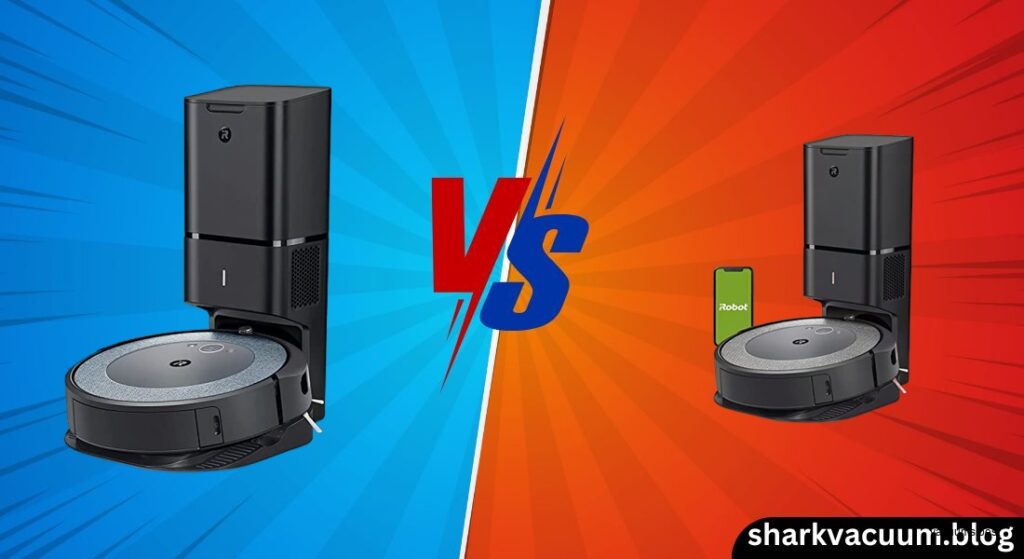
The iRobot Roomba i4 and i3 (and their self-emptying “Plus” variants) represent two generations of iRobot’s mid-range robot vacuums designed to bring automated cleaning and self-emptying convenience to more homes. While they share a similar DNA—especially in core cleaning components—they differ in subtle but meaningful ways that can influence your buying decision. If you’re trying to decide between the Roomba i4 vs i3, you’re likely looking for a reliable, pet-friendly robot that cleans effectively without breaking the bank. The real question isn’t just about suction or brushes—it’s whether the i4’s refinements justify stepping up from the often-discounted i3.
Both models are built around iRobot’s proven dual rubber brush system and 10x suction (compared to the 600 series), making them excellent for homes with pets and daily debris. They also both support the Clean Base Automatic Dirt Disposal system on their “+” variants, allowing for up to 60 days of hands-free operation. But where they diverge is in navigation logic, battery life, and out-of-the-box efficiency. The i3 relies on a learning-based system that takes a few runs to map your home, while the i4 starts cleaning in neat rows immediately. The i4 also offers slightly better battery performance and often includes virtual wall barriers in the box—small but impactful upgrades.
This comparison will dig into the real-world differences between the Roomba i3/i3+ and Roomba i4/i4+, evaluating cleaning performance, navigation smarts, app functionality, and overall value. We’ll help you determine whether the i4 is a necessary upgrade or if the older i3 still holds its ground as the smarter buy for budget-conscious shoppers.
1. Introduction
The evolution of robot vacuums has made smart navigation no longer a luxury—it’s expected, even in the mid-range market. iRobot has responded by refining its lineup so that even models under $500 now offer intelligent cleaning patterns, self-emptying capabilities, and app control. The Roomba i3 and i4 (and their self-emptying i3+/i4+ counterparts) sit squarely in this space, offering a balance between affordability and automation. But while they look nearly identical and share core features, the differences between them matter more than you might think.
The Roomba i3/i3+ was one of the first entry points into iRobot’s self-emptying ecosystem, delivering strong suction and reliable pet hair pickup at a more accessible price than the i7 or s9 series. Its successor, the Roomba i4/i4+, builds on that foundation with smarter navigation, slightly improved battery life, and better out-of-the-box performance—without changing the core cleaning hardware. This makes the i4 vs i3 comparison a classic case of “refinement vs. value.”
The central question for most buyers is simple: Is the i4 worth the upgrade, or does the i3 still offer the best bang for your buck? For pet owners, busy households, or anyone tired of emptying bins daily, the answer depends on your home layout, tolerance for learning curves, and how much you value efficiency. This article compares both models across six key criteria—navigation, cleaning performance, obstacle handling, smart features, self-emptying, and value—to help you decide which robot fits your lifestyle best.
2. Product Overviews
Roomba i3 / i3+ EVO
The Roomba i3 and i3+ (model 3550) were positioned as the gateway to iRobot’s self-emptying technology, offering a taste of smart cleaning without the premium price tag. Designed for users who want automation but don’t need advanced room-by-room control, the i3 series delivers strong performance on hard floors and low-pile carpets, especially in homes with pets. Its dual multi-surface rubber brushes are specifically engineered to resist tangling, making it a favorite among dog and cat owners.
One of the i3’s defining traits is its wheel-based odometry navigation. Unlike robots with LiDAR or camera-based mapping, the i3 learns your home layout over 2–3 cleaning runs, gradually shifting from a random bump-and-run pattern to more organized rows. While this works in simple layouts, it can lead to inefficiencies and occasional “lost” errors (indicated by a red light) in cluttered or complex spaces. The robot relies heavily on physical bumpers for obstacle detection, meaning it will frequently bump into furniture legs and cords.
Connectivity is handled via the iRobot Home App, supporting Wi-Fi (2.4 GHz), Alexa, and Google Assistant. You can schedule cleanings, view cleaning history, and receive maintenance alerts. However, you cannot edit maps or draw no-go zones in the app—a major limitation if you need to block off areas like pet feeding zones or playrooms. Instead, you must use separate Virtual Wall barriers (sold separately in most i3 bundles) to create physical boundaries.
Despite its limitations, the i3+ remains a solid performer, especially when found on deep discount. Its Clean Base system works flawlessly, and the 10x suction handles everyday debris with ease. For users with open floor plans and minimal clutter, it’s a reliable, low-maintenance option.
Check the latest price of Roomba i3+ on Amazon [link]
Roomba i4 / i4+ (Evo)
The Roomba i4 and i4+ (Evo) is essentially the refined version of the i3, addressing many of its predecessor’s weaknesses while keeping the same core cleaning components. It still uses the dual rubber brushes and 10x suction, so raw cleaning power is identical. But where the i4 shines is in its enhanced smart navigation, which cleans in neat, back-and-forth rows from the very first run—no learning period required.
This improvement comes from better sensor fusion and onboard logic, allowing the i4 to map your space more efficiently out of the box. While it still doesn’t use LiDAR or save editable maps, its pathing is noticeably more logical and consistent than the i3’s trial-and-error approach. It also handles transitions between floor types (like hardwood to carpet) more smoothly and is less likely to get stuck under low furniture.
Battery life gets a small but meaningful upgrade: the i4 can run for up to 100 minutes, compared to the i3’s 90 minutes. This extra 10 minutes can be the difference between a complete clean and a pause-recharge-resume cycle in larger homes (up to 1,500 sq. ft.).
Another practical advantage is that many i4+ bundles include Virtual Wall barriers in the box, giving you a way to block off rooms without an extra purchase. Like the i3, it lacks app-based no-go zones, so these physical emitters are essential for zone control.
The i4+ also benefits from improved battery management, returning to the dock more efficiently when low and resuming cleaning with better accuracy. While the Clean Base experience is identical to the i3+, the overall user experience feels more polished and reliable.
See current deals on Roomba i4+ here [link]
3. Comparison Criteria
To determine which robot comes out on top, we’ll evaluate the Roomba i3 vs i4 across six critical dimensions:
- Navigation & Mapping Logic: How efficiently do they clean? Do they get lost or miss spots?
- Cleaning Performance: Suction power, brush effectiveness on carpets and hard floors, and edge cleaning.
- Obstacle Avoidance & Sensors: How well do they handle cords, furniture, and stairs?
- Smart Features & App Control: Scheduling, voice commands, and virtual boundary options.
- Maintenance & Self-Emptying: Clean Base performance, bin capacity, and long-term upkeep.
- Value for Money: Price-to-performance ratio, especially at current street prices.
These categories reflect what most users care about: efficiency, reliability, convenience, and cost. Let’s break down each one.
4. Head-to-Head Comparison
Navigation: Learning Curves vs. Logical Rows
The biggest difference between the i3 and i4 lies in how they navigate your home.
The Roomba i3 uses wheel-based odometry, meaning it estimates its position by tracking wheel rotations. This system requires 2–3 full cleaning cycles to “learn” your layout before it starts cleaning in consistent rows. During the first few runs, it behaves more like an older random-navigation robot, bouncing around unpredictably and sometimes missing large sections. In complex or cluttered homes, it can lose track of its position, triggering a red light error that requires a 14-second manual reset.
In contrast, the Roomba i4 employs enhanced sensor logic and visual cues to establish a logical cleaning path from the very first run. It doesn’t create a permanent, editable map like the i7 or j7, but it cleans in neat, back-and-forth rows immediately, covering your floors more efficiently. It also adapts better to obstacles and transitions, reducing the chance of getting stuck or disoriented.
While neither robot has LiDAR or camera-based obstacle avoidance, the i4’s smarter navigation makes it feel more modern and reliable. It’s especially noticeable in larger or multi-room layouts, where the i3 might take days to optimize its path.
🏆 Section Winner: i4 – Its ability to clean in logical rows from day one makes it significantly more efficient than the i3.
View Roomba i4 on Amazon [link]
Cleaning Performance: Suction and Surfaces
When it comes to actual cleaning power, both robots are nearly identical—and that’s a good thing.
Both the i3 and i4 feature:
– 10x Power-Lifting Suction (vs. 600 series)
– Dual Multi-Surface Rubber Brushes (anti-tangle, great for pet hair)
– High-Efficiency Filter (traps 99% of allergens)
– Dirt Detect™ Technology (re-cleans high-traffic areas)
On hard floors and low-pile carpet, both models perform excellently, picking up dust, cereal, sand, and pet hair with consistent striping and about 50% path overlap. Testing shows both can remove around 90% of debris in controlled environments.
The edge cleaning is also similar, thanks to a single side brush that sweeps debris toward the intake. However, the i4’s more predictable navigation often results in slightly better wall-following, especially in long hallways or along baseboards.
Where both struggle is on high-pile or shag carpets. Neither robot is designed for deep-pile rugs, and both can stall or get tangled when trying to climb onto thick textures. If your home has a lot of shag, neither is ideal.
🏆 Section Winner: Tie – Identical brush and suction systems mean cleaning performance is nearly indistinguishable.
Obstacle Avoidance & Sensors
Neither the i3 nor i4 has advanced object recognition or LiDAR, so both rely on physical bumpers and cliff sensors to navigate.
The i3 is more prone to collisions. It frequently bumps into furniture legs, cords, and door frames, and can get stuck under low-clearance furniture or on carpet edges. Its basic sensors don’t allow it to “see” obstacles ahead, so it only reacts after contact.
The i4 improves on this with better sensor fusion and collision logic, reducing the frequency of “stuck” errors. It still bumps into things, but it recovers more quickly and adjusts its path more intelligently. It’s also less likely to spin in place or get trapped in corners.
In real-world use, both robots require a reasonably tidy floor. Shoes, cords, and small toys will still cause issues. But the i4 handles moderate clutter with slightly more grace.
🏆 Section Winner: i4 – Slightly better sensors and navigation logic make it more resilient in typical homes.
Smart Features: The “No-Go Zone” Problem
Here’s the frustrating truth: neither the i3 nor i4 allows you to draw no-go zones or edit maps in the app. This is a feature reserved for the i6, i7, and j7 series.
Both use the iRobot Home App for:
– Scheduling
– Voice control (Alexa, Google Assistant)
– Remote start/stop
– Cleaning history and maintenance alerts
– “Find My Roomba” (makes the robot beep)
But you cannot block off rooms or create keep-out zones via software. If you need to keep the robot out of a specific area (like a cat litter zone or baby’s playroom), you must use physical Virtual Wall barriers.
The key difference? The i3 usually requires you to buy these separately, while many i4+ bundles include them in the box. This makes the i4 a better value if you need boundary control.
You can also set automations using IFTTT or geo-fencing (e.g., clean when you leave home), and both support Imprint Link with the Braava m6 for vacuum-then-mop sequences.
🏆 Section Winner: i4 – Same app limitations, but better bundle inclusion of physical barriers.
The Clean Base® Experience (i3+ vs. i4+)
If you’re considering the i3+ or i4+, the self-emptying Clean Base is a game-changer.
Both models offer identical Clean Base functionality:
– Automatically empties the robot’s bin into a sealed bag
– Holds up to 60 days of debris (depending on home size and pets)
– Uses AllergenLock™ bags to trap 99% of pollen and mold
– Can be triggered remotely via the app
– Resumes cleaning after recharging
The emptying process is loud (10–15 seconds), but effective. A few crumbs may remain near the seal, but they’re usually sucked back in during the next cycle.
Bag and filter replacement costs are the same for both models, and third-party options are available to reduce long-term expenses.
🏆 Section Winner: Draw – The self-emptying experience is functionally identical.
Battery Life
The i3 offers a standard 90-minute runtime, sufficient for homes up to 1,000 sq. ft.
The i4 improves on this with optimized battery management, delivering up to 100 minutes of cleaning in ideal conditions. This extra buffer helps in larger homes (up to 1,500 sq. ft.), reducing the need for recharge-and-resume cycles.
Both support recharge and resume, so if the battery dies mid-clean, the robot returns to the dock, recharges, and continues from where it left off.
🏆 Section Winner: i4 – The 10-minute advantage adds noticeable efficiency in larger spaces.
5. Pros and Cons Table
| Feature | Roomba i3 / i3+ | Roomba i4 / i4+ |
|---|---|---|
| Navigation Style | Reactive (Learns over 2–3 runs) | Proactive (Logical rows from first run) |
| Mapping | Basic, non-editable | Basic, non-editable |
| Virtual Boundaries | Requires separate purchase (usually) | Often included in box |
| Obstacle Avoidance | Bumper-only, prone to getting stuck | Bumper + improved sensors |
| Battery Runtime | ~90 Minutes | ~90–100 Minutes |
| Self-Emptying | Yes (on Plus models) | Yes (on Plus models) |
| App Control | Basic scheduling, no no-go zones | Basic scheduling, no no-go zones |
| Best For | Simple layouts, budget buyers | Larger homes, efficiency seekers |
| Major Drawback | Can get lost; slow initial mapping | Still lacks app-based no-go zones |
6. Best Use Case Recommendations
Choose the Roomba i3 / i3+ If:
- You’re on a tight budget and find the i3+ heavily discounted (often under $350).
- You have a simple, open floor plan with minimal furniture and clutter.
- You don’t mind a learning curve and are okay with the robot missing spots the first few times.
- You already own Virtual Wall barriers or don’t need zone control.
The i3+ remains a powerful, pet-friendly robot that excels at daily maintenance. If you can find it at a steep discount, it’s still a great value.
Check the latest price of Roomba i3+ on Amazon [link]
Choose the Roomba i4 / i4+ If:
- You want efficient cleaning from day one without a learning period.
- You have a larger home (1,000–1,500 sq. ft.) and need the extra 10 minutes of battery.
- You want physical virtual walls included to block off specific areas.
- You prefer slightly better obstacle handling and more consistent navigation.
The i4+ offers a smoother, more reliable experience. The small premium over the i3 is often justified by the included accessories and better out-of-the-box performance.
See current deals on Roomba i4+ here [link]
7. Conclusion
The Roomba i4 vs i3 debate ultimately comes down to refinement versus value. Both robots share the same core strengths: excellent pet hair pickup, 10x suction, dual rubber brushes, and seamless Clean Base integration on their “+” models. They’re both solid choices for daily maintenance in homes with hard floors or low-pile carpet.
However, the Roomba i4 is the clear evolution of the i3. It cleans more efficiently from the start, handles larger spaces better, and often includes useful accessories like virtual wall barriers. While the i3 can still be a great deal on sale, the i4 delivers a more polished, reliable experience that justifies its slightly higher price for most users.
Final Verdict:
– Best Overall Value: Roomba i4+ – Its smarter navigation, longer battery, and better bundle make it the smarter long-term investment.
– Best Budget Pick: Roomba i3+ – If found at a deep discount and you have a simple home, it remains a capable performer.
Just remember: neither robot offers app-based no-go zones or room-specific cleaning. If those features are essential, consider upgrading to the i7 or j7 series. But for hands-free daily cleaning in a typical home, the i4+ strikes the best balance of performance, convenience, and price.