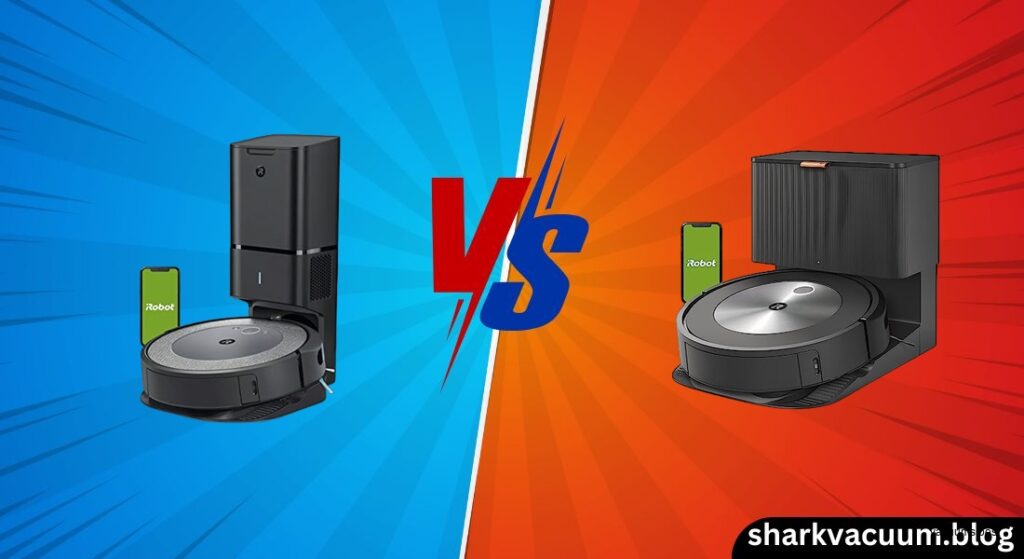
The battle between the iRobot Roomba i3 vs i7 is one of the most common dilemmas for smart home buyers today. Both robots promise powerful cleaning, self-emptying capabilities (with the “+” models), and reliable performance—especially for homes with pets. But they cater to very different needs, budgets, and expectations. At first glance, they seem nearly identical: same sleek design, dual rubber brushes, 10x suction power, and compatibility with the Clean Base. But beneath the surface, the differences in navigation intelligence, smart features, and long-term convenience are profound.
The Roomba i3+ positions itself as an entry point into the world of self-emptying robot vacuums. It offers core iRobot technology at a more accessible price, making it appealing to budget-conscious shoppers who want the convenience of automatic dirt disposal without paying a premium. On the other hand, the Roomba i7+ was designed as a smart home centerpiece—a robot that learns your home, follows voice commands to clean specific rooms, remembers multiple floor plans, and integrates seamlessly with advanced automations. While both models share DNA, the i7+ adds a level of precision and control that transforms it from a simple vacuum into a true home automation tool.
So which one is right for you? Is the i3+ enough if you just want clean floors and don’t care about room-by-room control? Or is the i7+ worth the extra cost for its superior mapping, virtual barriers, and smart navigation? In this detailed comparison, we’ll break down every key difference—navigation, app control, cleaning power, convenience, and value—to help you decide whether the i3 or i7 is the smarter investment for your home.
2. Product Overviews
Roomba i3 / i3+ (The Value Workhorse)
The Roomba i3 and i3+ are positioned as iRobot’s most affordable smart vacuums with self-emptying capability. Launched in 2020, the i3 series brought the Clean Base technology down to a lower price tier, making hands-off maintenance accessible to more users. The core appeal is simple: get the powerful dual rubber brush system and automatic dirt disposal without paying flagship prices.
The i3+ model (3550) includes the Clean Base Automatic Dirt Disposal, which vacuums debris from the robot’s bin into a sealed bag that holds up to 60 days of dirt. This is a major convenience upgrade over the standard i3, which requires manual emptying. Both models feature the Premium 3-Stage Cleaning System, 10X Power-Lifting Suction, and Dirt Detect™ Technology, making them highly effective on pet hair, carpets, and hard floors.
However, the i3’s biggest limitation lies in its navigation. It uses vSLAM (visual navigation), but not the full Imprint Smart Mapping system. As a result, it takes 3 to 4 cleaning cycles to build a stable map, and even then, it only stores one floor plan. This makes it unsuitable for multi-story homes unless you’re willing to manually reset maps each time you move the robot.
Another major drawback: no virtual no-go zones in the app. If you want to keep the robot away from pet bowls or delicate rugs, you’ll need to buy a separate iRobot Virtual Wall—a $40–$50 hardware barrier. This lack of digital barriers is a significant step back compared to modern competitors and even higher-end Roomba models.
Despite these limitations, the i3+ remains a solid performer for small, single-story homes with open layouts. If your priority is strong suction, pet hair pickup, and self-emptying at a lower price, the i3+ delivers. But don’t expect advanced intelligence or room-specific commands.
Check the latest price of Roomba i3+ on Amazon [link]
Roomba i7 / i7+ (The Smart Navigator)
The Roomba i7 and i7+ were iRobot’s premium smart vacuums before the j7 and Combo series arrived. The i7+ (model 7550) includes the Clean Base, just like the i3+, but it’s paired with significantly more advanced software and navigation—making it a smarter, more capable robot.
Where the i3 struggles with mapping, the i7 excels. It uses vSLAM with Imprint Smart Mapping, capturing 230,000 data points per second to create accurate, room-by-room maps in just 1–2 runs. More importantly, it can store up to 10 different floor plans, making it ideal for two-story homes or apartments with multiple levels. Move the robot to a different floor? It recognizes the new environment and resumes cleaning without confusion.
The app experience is where the i7 truly pulls ahead. You can draw virtual no-go zones, set keep-out areas, and even create custom clean zones like “under the dining table.” Need the kitchen cleaned after dinner? Just say, “Alexa, tell Roomba to clean the kitchen,” and it will go straight to work—no whole-house cleaning required.
The i7 also supports IFTTT automations, geofencing, and Imprint Link with the Braava jet m6 mop. This means you can set up routines like “clean when I leave home” or “vacuum then mop” with zero manual input.
While the physical cleaning performance is nearly identical to the i3 (same suction, same brushes), the i7 cleans more efficiently thanks to smarter navigation. It follows neat rows, avoids redundant passes, and adapts to furniture changes. It’s also quieter (~68 dB vs. ~78 dB on older models) and has better edge cleaning due to its 27-degree sweeping brush.
The main downside? Price. The i7+ launched at $800 and still commands a premium, especially compared to newer LiDAR-equipped models. But for users who want maximum control, multi-floor support, and deep smart home integration, the i7+ remains a top-tier choice.
View Roomba i7+ on Amazon [link]
3. Comparison Criteria
To fairly evaluate the i3 vs i7, we’ll assess both models across five critical dimensions:
- Navigation & Mapping Intelligence: How quickly and accurately do they map your home? Can they handle multiple floors? Do they support virtual barriers?
- App Control & Customization: How much control do you have over cleaning zones, schedules, and restrictions? Can you clean specific rooms on command?
- Cleaning Performance: Do they deliver on suction power, pet hair pickup, and edge cleaning? Is one noticeably better than the other?
- Convenience Features: How well do they handle self-emptying, battery life, recharge & resume, and voice control?
- Value for Money: Does the i7’s higher price justify its extra features? Or is the i3+ the smarter buy for most users?
Let’s dive into each category.
4. Head-to-Head Comparison
Navigation: vSLAM vs. Enhanced vSLAM
Both the i3 and i7 use vSLAM (visual navigation), but the implementation is vastly different.
The i3 relies on a basic version of vSLAM, often referred to as “Floor Tracker” technology. It uses a camera and sensors to track movement, but it’s slow to learn and prone to errors—especially in low light. It typically takes 3 to 4 full cleaning cycles before the map stabilizes. Even then, it treats your home as one large zone, with no ability to distinguish between rooms unless you manually label them after mapping.
More critically, the i3 only stores one map. If you have a two-story home and move the robot upstairs, it either overwrites the old map or creates a new, corrupted one. There’s no way to switch between floors automatically.
The i7, by contrast, uses advanced vSLAM with Imprint Smart Mapping. It captures 230,000 data points per second, allowing it to recognize furniture, doorways, and room layouts with high accuracy. It learns your home in 1–2 runs and can store up to 10 distinct floor plans. Move the robot to a different floor? It detects the change, alerts you in the app, and loads the correct map.
The i7 also handles dock relocations better. If you move the charging base, it re-maps the area and updates its reference point—something the i3 struggles with.
🏆 Section Winner: Roomba i7 – The ability to store 10 maps and navigate room-by-room is a game-changer for multi-story homes and complex layouts.
App Control & Virtual Barriers
This is where the i3’s limitations become glaring.
The i3’s app allows you to start/stop cleaning, view a rough map, and schedule whole-home cleans. But you cannot draw virtual no-go zones. Want to keep the robot out of the dining room during meals? You’ll need to buy a physical Virtual Wall barrier—an extra $40–$50 expense.
You also can’t command the i3 to clean specific rooms unless you use a third-party workaround. While the iRobot app does allow room selection after mapping, it’s not as reliable or intuitive as on the i7.
The i7, however, offers full app-based control. You can:
– Draw no-go zones to block off pet bowls, cables, or delicate rugs.
– Create keep-out zones that the robot will never enter.
– Define custom clean zones like “under the sofa” or “entryway.”
– Schedule room-specific cleaning (e.g., kitchen daily, living room on weekends).
This level of customization is invaluable for pet owners, parents, or anyone with a cluttered home.
🏆 Section Winner: Roomba i7 – The lack of native virtual barriers on the i3 is a dealbreaker for many modern users.
Cleaning Performance (Suction & Brushes)
Here, both models are nearly identical—and that’s a good thing.
Both the i3 and i7 feature:
– 10X Power-Lifting Suction (vs. Roomba 600 series)
– Dual Multi-Surface Rubber Brushes (tangle-free, great for pet hair)
– Premium 3-Stage Cleaning System
– Edge-Sweeping Brush (27-degree angle on i7, standard on i3)
– Dirt Detect™ Technology
In real-world tests, both robots excel at picking up pet hair, dust, and debris from carpets and hard floors. The rubber brushes resist tangling, and the suction is strong enough to pull dirt from deep in carpet fibers.
The i7 has a slight edge in efficiency due to its smarter navigation. It cleans in neat, organized rows and avoids redundant passes, often finishing large jobs faster than the i3. The i3, with its less optimized pathing, may take longer and miss spots in cluttered areas.
But on pure cleaning power? It’s a tie.
🏆 Section Winner: Tie – Both clean exceptionally well, but the i7 is more efficient.
Battery Life & Recharge Logic
Both models offer up to 75 minutes of runtime on a full charge—enough to clean 1,000–1,500 sq. ft. per cycle.
Both also support Recharge & Resume: if the battery runs low, the robot returns to the dock, recharges, and finishes the job where it left off.
The i7 executes this more intelligently. Thanks to its accurate mapping, it knows exactly where it stopped and resumes cleaning with minimal overlap. The i3 can do it too, but its less stable map sometimes leads to inefficient re-routing.
In large homes, the i7’s ability to plan efficient paths means it’s less likely to run out of battery mid-job.
🏆 Section Winner: Roomba i7 – Better navigation leads to smarter, more reliable recharge & resume.
Smart Home & Automation
Both the i3 and i7 support:
– Amazon Alexa and Google Assistant voice control
– Imprint Link with the Braava jet m6 mop
– IFTTT for custom automations
However, the depth of integration differs significantly.
On the i3, voice commands are limited to “Start cleaning,” “Pause,” or “Go home.” You can’t tell it to clean a specific room unless you’ve manually labeled areas—and even then, it’s not always reliable.
The i7, thanks to its room recognition, supports natural language commands like:
– “Alexa, tell Roomba to clean the bedroom.”
– “Hey Google, ask Roomba to clean under the kitchen table.”
– “Clean the living room for 15 minutes.”
It also supports geofencing automations (e.g., “clean when I leave home”) and pollen-based cleaning suggestions via the app.
🏆 Section Winner: Roomba i7 – Far superior voice control and automation options.
5. Pros and Cons Table
| Feature | Roomba i3 / i3+ | Roomba i7 / i7+ |
|---|---|---|
| Navigation Tech | vSLAM (Basic) | vSLAM + Imprint Smart Mapping |
| Map Storage | 1 Floor Plan | Up to 10 Floor Plans |
| Virtual No-Go Zones | ❌ No (Requires hardware purchase) | ✅ Yes (App-based) |
| Room Selection | Limited / Whole Home only | ✅ Yes (Specific room cleaning) |
| Pet Hair Performance | ⭐⭐⭐⭐⭐ (Dual Rubber Brushes) | ⭐⭐⭐⭐⭐ (Dual Rubber Brushes) |
| Self-Emptying | ✅ Available (i3+ model) | ✅ Available (i7+ model) |
| Voice Control Depth | Basic (Start/Stop) | Advanced (Room-specific) |
| Ideal For | Small apartments, single-story, open floors | Multi-story homes, cluttered spaces, pet owners |
| Current Value | High (if found on sale) | Moderate (Premium pricing) |
6. Best Use Case Recommendations
Choose the Roomba i3+ if:
- You live in a single-story home or apartment – The single-map limitation won’t affect you.
- Your layout is simple and open – Few obstacles mean fewer navigation issues.
- Budget is your top priority – You want self-emptying and great pet hair cleaning without paying a premium.
- You don’t mind buying physical barriers – You’re okay with purchasing Virtual Walls to block off areas.
Pro Tip: The i3+ is a solid choice if you find it on sale under $350. At that price, it offers excellent value for basic, reliable cleaning.
See current deals on Roomba i3+ here [link]
Choose the Roomba i7+ if:
- You have a multi-story home – The 10-map storage is essential.
- You want room-specific cleaning – “Clean the kitchen” without cleaning the whole house.
- You need virtual no-go zones – Block off pet bowls, cables, or fragile decor without extra hardware.
- You have a complex or cluttered layout – The i7 navigates furniture-heavy rooms more efficiently.
- You’re a smart home enthusiast – You want deep voice control, IFTTT automations, and Braava mop coordination.
Good to Know: The i7+ is still a capable robot in 2024, especially if you find it discounted. Just know that newer models like the j7+ offer better obstacle avoidance.
View Roomba i7+ on Amazon [link]
7. Conclusion
The iRobot Roomba i3 vs i7 showdown ultimately comes down to intelligence versus economy.
Both robots share the same excellent cleaning DNA: tangle-free rubber brushes, 10X suction, and effective pet hair pickup. If your only goal is “clean floors with minimal effort,” the i3+ is a fantastic, budget-friendly option—especially if you live in a single-story home.
But the i7+ justifies its higher price with Imprint Smart Mapping. The ability to store 10 floor plans, create virtual no-go zones, and command room-specific cleans turns it into a true smart home device. For anyone with a two-story house, cluttered floors, or a desire for hands-free, precise cleaning, the i7+ is the superior investment.
While both support self-emptying and voice control, the i7 offers deeper integration, smarter navigation, and greater long-term convenience.
Final Verdict:
– Best Overall Value: Roomba i3+ – Ideal for simple, single-floor homes on a budget.
– Best Performance & Features: Roomba i7+ – The clear choice for multi-story homes and smart home lovers.
If you’re torn, ask yourself: Do you just want clean floors? Or do you want a robot that knows your home? Your answer will guide you to the right Roomba.