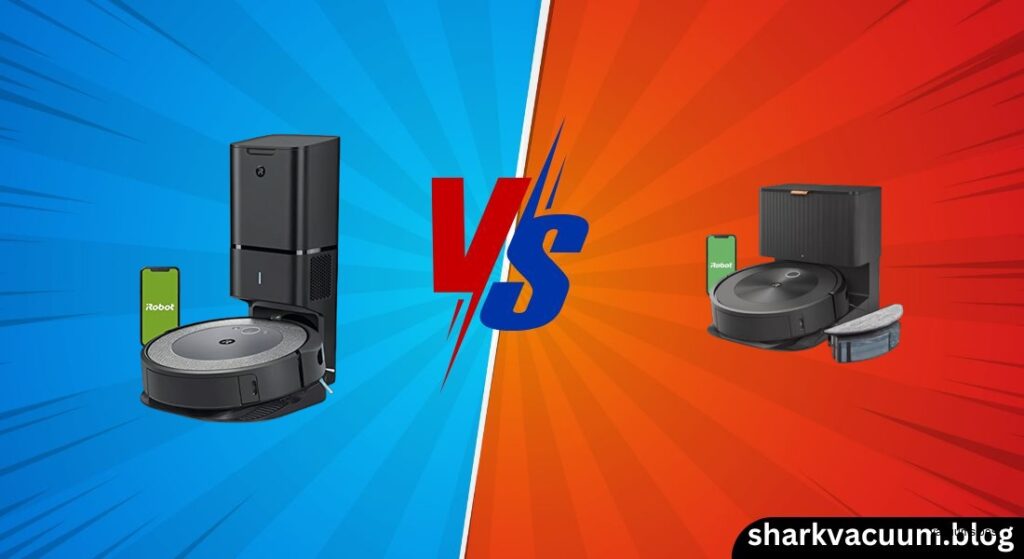
The Roomba i3+ and i8+ represent two compelling tiers in iRobot’s lineup of self-emptying robot vacuums—both promise to reduce your cleaning workload with automatic dirt disposal, yet they diverge significantly in intelligence, control, and long-term convenience. You’re not just choosing between two robots; you’re deciding whether smart navigation and app-based precision are worth the extra cost, or if raw cleaning power and a lower price point are enough. This comparison dives deep into the real-world differences between the Roomba i3+, the most affordable way into the Clean Base ecosystem, and the Roomba i8+, a smarter, longer-lasting premium alternative. We’ll examine everything from suction strength and battery life to how each handles pet hair, clutter, and dark rooms, helping you determine which robot truly fits your home and lifestyle.
1. Introduction
Choosing between the iRobot Roomba i3+ and i8+ can feel like a classic trade-off: do you go for value and solid performance, or invest in smarter features and better long-term usability? Both models come with the Clean Base Automatic Dirt Disposal, meaning they empty themselves for up to 60 days—removing one of the biggest pain points of robot vacuums. On paper, they even share the same “10x Power-Lifting Suction” and the tangle-resistant dual rubber brushes that make them excellent for pet hair. But peel back the surface, and the differences become stark. The i3+ is designed to bring self-emptying convenience to a more budget-conscious audience, using basic floor-tracking navigation that learns your home over time. The i8+, on the other hand, builds on the success of the i7+ with a 20% larger battery, precise camera-based visual mapping (VSLAM), and the ability to clean specific rooms on command.
This isn’t just about suction or noise levels—it’s about how the robot understands your home. If you live in a large, multi-floor house with lots of furniture, the i8+’s navigation and room-specific controls could be a game-changer. But if you’re in a smaller, open-concept apartment and just want strong cleaning with minimal maintenance, the i3+ might deliver 90% of the benefit at a fraction of the price. The central question this article answers is simple: Does the i8+’s intelligence justify the premium over the i3+? By analyzing cleaning performance, battery life, smart features, and real-world usability, we’ll help you make the right choice—whether you’re a tech-savvy homeowner or a pet parent just looking for a reliable clean.
Check the latest price of [Roomba i3+] on Amazon [link]
See current deals on [Roomba i8+] here [link]
2. Product Overviews
Roomba i3+ (The Efficient Workhorse)
The Roomba i3+ is iRobot’s entry point into the self-emptying robot vacuum market, designed for users who want high performance without the premium price tag. It’s a circular robot vacuum that emphasizes reliability, strong suction, and automatic dirt disposal—but skips the advanced navigation tech found in higher-end models. Instead of a camera, it uses floor-tracking navigation, which combines gyroscopic sensors and physical bump detection to map your home over multiple runs. This means it doesn’t “see” obstacles—it bumps into them first, then adjusts its path. The i3+ learns your floor plan after about 3 to 4 cleaning cycles, eventually achieving full coverage, but it can struggle in cluttered environments.
Its standout feature is the Clean Base Automatic Dirt Disposal, which vacuums debris from the robot’s bin into a sealed bag in the dock, holding up to 60 days of dirt. This makes it ideal for pet owners and allergy sufferers, as it minimizes exposure to dust and dander. The dual multi-surface rubber brushes are highly effective at picking up pet hair and preventing tangles, and Dirt Detect Technology helps it focus on high-traffic areas. However, the i3+ has limitations: it lacks app-based virtual boundaries (requiring a physical Virtual Wall accessory to block off areas), cannot store multiple floor plans, and has a shorter 75-minute battery life, relying on Recharge and Resume to clean larger homes. Despite these drawbacks, it delivers excellent cleaning performance on both hard floors and carpets, often matching more expensive models in debris pickup.
Check the latest price of [Roomba i3+] on Amazon [link]
Roomba i8+ (The Smart Navigator)
The Roomba i8+ is a premium-tier robot vacuum that refines the formula of the i7+, offering smarter navigation, longer runtime, and greater control. It’s designed for users who want a truly hands-off, intelligent cleaning experience in larger or multi-story homes. The key upgrade is its iAdapt 3.0 Navigation with VSLAM (Visual Simultaneous Localization and Mapping), which uses a top-mounted camera to scan the room in real time, creating a detailed digital map of your home on the first run. This allows for systematic, back-and-forth cleaning patterns—like mowing a lawn—instead of random bouncing.
With the iRobot HOME app, you can label rooms, set schedules by room, and create “Keep Out Zones” to block off pet bowls, cords, or delicate rugs. The i8+ can store up to 10 different floor plans, making it perfect for townhomes or houses with basements. It also features a 20% larger battery than the i7/i3 generation, offering 90+ minutes of runtime, which reduces the need for mid-cycle recharging in larger spaces. Like the i3+, it includes the Clean Base Automatic Dirt Disposal and dual rubber brushes, ensuring strong performance on pet hair and embedded dirt.
Some bundles—like the Costco-exclusive version—even include a Lighthouse Beacon, which creates dynamic virtual barriers across doorways. While the i8+ struggles in low-light conditions (since it relies on visual data), and lacks AI object recognition (meaning it can still run over cords or socks), it represents a significant leap in autonomy and control over the i3+. For users who want room-specific cleaning and precise app control, the i8+ delivers a modern smart-home experience.
See current deals on [Roomba i8+] here [link]
3. Comparison Criteria
To determine which robot is right for you, we’ll evaluate the i3+ and i8+ across six key criteria:
- Navigation & Mapping Intelligence: How well does each robot learn your home, avoid obstacles, and follow boundaries? This is where the biggest differences lie.
- Cleaning Performance: Suction power, debris pickup on hard floors and carpets, and pet hair handling—do they deliver the same clean?
- Battery Life & Autonomy: Runtime per charge and how efficiently they handle large homes using Recharge and Resume.
- Smart Features & App Control: Scheduling, voice commands, virtual barriers, and room-specific cleaning—how much control do you really have?
- Maintenance & Usability: How easy is it to maintain the brushes, filters, and Clean Base? What about noise levels?
- Value for Money: Considering current pricing, does the i8+’s intelligence justify its higher cost, or is the i3+ the smarter buy?
Let’s break down each category to see where each robot excels—and where it falls short.
4. Head-to-Head Comparison
Navigation: Bump-and-Run vs. Visual Mapping
The most significant difference between the i3+ and i8+ is how they navigate your home.
The Roomba i3+ uses floor-tracking navigation, a system based on wheel encoders, gyroscopes, and physical bump sensors. It doesn’t have a camera, so it can’t “see” obstacles. Instead, it learns your home over time by bumping into walls, furniture, and door frames. After 3 to 4 full cleaning cycles, it builds a reliable map and improves its path efficiency. However, in a cluttered environment—say, with toys, cords, or low-profile furniture—it will run into objects before detecting them, which can lead to getting stuck or inefficient cleaning. It also cannot recognize virtual boundaries in the app. If you want to block off a pet bowl or a charging cable, you’ll need to buy and place a physical Virtual Wall—a small infrared device that creates an invisible barrier. This adds clutter and requires battery maintenance.
In contrast, the Roomba i8+ uses VSLAM (Visual Simultaneous Localization and Mapping) with a top-mounted camera. From the very first run, it scans your home and creates a precise digital map in the iRobot HOME app. This allows for systematic, grid-like cleaning that ensures full coverage with minimal overlap. You can label rooms, set cleaning schedules by room, and draw “Keep Out Zones” directly in the app—no extra hardware needed. The i8+ also supports multi-floor mapping, storing up to 10 different floor plans, which is essential for multi-story homes. Some bundles even include a Lighthouse Beacon, which creates software-controlled barriers across doorways.
Verdict: The i8+ wins decisively in navigation. Its ability to map instantly, avoid obstacles intelligently, and offer app-based control transforms it from a simple vacuum into a smart home device. The i3+ is only suitable for open floor plans with minimal clutter, where its bump-and-run behavior won’t cause frustration.
🏆 Section Winner: Roomba i8+ – For its instant visual mapping, app-based Keep Out Zones, and multi-floor support.
Cleaning Performance: Suction and Brushes
When it comes to actual cleaning power, the difference between the i3+ and i8+ is negligible.
Both models boast “10x Power-Lifting Suction” compared to older Roomba series (like the 600 series), and real-world testing confirms they deliver nearly identical suction performance. On hard floors, both excel at picking up fine dust, sand, cereal crumbs, and pet hair. The dual multi-surface rubber brushes—a patented iRobot design—are shared by both models and are highly effective at preventing hair tangles. Most hair wraps around the brush axles rather than the roller itself, making cleanup quick and easy. The side brush sweeps debris from edges and corners into the main suction path.
On carpets, both robots use Dirt Detect Technology—acoustic and optical sensors that identify high-traffic or heavily soiled areas. When triggered, the robot makes multiple passes over the spot with increased suction. In standardized deep-cleaning tests with sand embedded in medium-pile carpet, the i3+ scored 81 out of 100, which is well above average and on par with much more expensive models. The i8+ performs similarly, as the core cleaning system is nearly identical.
Both models are excellent for pet owners, handling dog and cat hair with ease and capturing 99% of allergens like pollen and dander—especially when paired with the Clean Base, which seals debris in a bag.
Verdict: Tie. If cleaning performance is your only concern, the i3+ offers the same powerful clean as the i8+ at a lower price.
🏆 Section Winner: Tie – Both deliver high-efficiency cleaning on hard floors and carpets with superior pet hair handling.
Battery Life and Large Home Suitability
Battery life plays a crucial role in how efficiently each robot cleans larger homes.
The Roomba i3+ has a 75-minute runtime on a full charge. While sufficient for small to medium apartments (under 1,000 sq ft), it will frequently need to recharge in larger homes. However, it features Recharge and Resume, meaning it can return to the Clean Base, recharge, and then resume cleaning from where it left off, ensuring full coverage. This works well but can extend total cleaning time, especially in homes over 1,500 sq ft.
The Roomba i8+, in contrast, has a battery that’s 20% larger than the i3/i7 generation. This translates to 90+ minutes of runtime, allowing it to clean larger areas in a single session. Fewer recharge cycles mean faster, more efficient cleaning for medium to large homes. Like the i3+, it also uses Recharge and Resume when needed, but it’s less likely to require it.
For homes under 1,000 sq ft, both robots perform similarly. But for larger or multi-room layouts, the i8+’s extended battery life reduces interruptions and improves overall efficiency.
Verdict: The i8+ is the clear winner for homes over 1,500 sq ft or for users who want faster, uninterrupted cleaning.
🏆 Section Winner: Roomba i8+ – Thanks to its 20% larger battery and reduced need for Recharge and Resume.
Smart Features and App Integration
This is where the i8+ pulls far ahead in terms of modern smart-home functionality.
The i3+ app is functional but basic. You can start, pause, or schedule cleaning, view the learned map, and control the robot via Alexa or Google Assistant. However, you cannot create virtual no-go zones in the app. To block areas, you must use a physical Virtual Wall, which requires setup and batteries. The i3+ also cannot store multiple floor plans, limiting it to single-floor use.
The i8+ app, by comparison, is a full-featured smart home hub. You can:
* Label rooms on the map (e.g., Kitchen, Living Room, Bedroom)
* Select specific rooms to clean (“Clean the Kitchen”)
* Draw Keep Out Zones around pet bowls, cords, or fragile decor
* Schedule room-specific cleanings
* Store up to 10 floor plans for multi-story homes
* Use Lighthouse Beacons (in some bundles) for dynamic barriers
Both support voice control, but the i8+ allows for room-specific voice commands, like “Alexa, tell Roomba to clean under the dining table.”
Verdict: The i8+ offers a modern, intuitive smart-home experience, while the i3+ feels outdated in comparison.
🏆 Section Winner: Roomba i8+ – For its advanced app features, room selection, and virtual boundaries.
Maintenance and Noise
When it comes to upkeep and noise, both robots are nearly identical.
Self-Emptying: Both use the same Clean Base system with AllergenLock bags that hold up to 60 days of debris. The emptying process is equally loud on both models—a brief, high-pitched suction burst that can be startling but confirms the system is working.
Brush and Filter Maintenance: Both have dual rubber rollers and side brushes that require monthly cleaning to remove hair and debris. Filters should be tapped clean regularly and replaced every 2 to 3 months. The process is identical for both models.
Noise Levels:
* Cleaning Mode: Both operate at a moderate, vacuum-like noise level—quieter than a full-size vacuum but noticeable in quiet rooms.
* Emptying Mode: The Clean Base produces a loud, brief noise during disposal, which is the same on both models.
Verdict: Tie. Maintenance routines and noise profiles are virtually indistinguishable.
🏆 Section Winner: Tie – Both require similar upkeep and produce the same noise during operation and emptying.
5. Pros and Cons Table
| Feature | Roomba i3+ | Roomba i8+ |
|---|---|---|
| Navigation Type | Floor Tracking (Bump-based) | VSLAM (Camera-based Visual Mapping) |
| Virtual Boundaries | ❌ Requires Physical Virtual Wall | ✅ App-based “Keep Out Zones” |
| Multi-Floor Maps | ❌ Single Floor Only | ✅ Stores up to 10 Floor Plans |
| Room Selection | ❌ No | ✅ Yes (Clean specific rooms) |
| Battery Runtime | ~75 Minutes | ~90+ Minutes (20% larger) |
| Lighting Dependency | None (Works in dark) | High (Needs light for camera) |
| Obstacle Avoidance | Low (Bumps into objects) | Moderate (Navigates around, but no AI ID) |
| Cleaning Power | High (10x Suction) | High (10x Suction) |
| Pet Hair Handling | Excellent (Rubber brushes) | Excellent (Rubber brushes) |
| Price Tier | Budget/Mid-Range | Premium |
Pro Tip: If you’re sensitive to noise, schedule cleanings during the day and avoid running the Clean Base emptying cycle at night—it’s loud on both models.
6. Best Use Case Recommendation
Choose the Roomba i3+ if:
- You have an open floor plan: Minimal furniture and few cords mean the i3+ won’t get stuck often.
- Budget is your top priority: You want self-emptying and strong cleaning without paying for advanced navigation.
- You operate in low-light conditions: The i3+ works perfectly in the dark, unlike the camera-dependent i8+.
- You’re okay with physical barriers: You don’t mind placing a Virtual Wall to block off pet bowls or rooms.
- You’re on a tight budget and find it on sale: The i3+ often drops below $300, making it a great value.
Check the latest price of [Roomba i3+] on Amazon [link]
Choose the Roomba i8+ if:
- You have a multi-story home: The ability to store 10 floor plans is essential.
- You want precise control: You’d like to clean just the kitchen or draw no-go zones around rugs via your phone.
- Your home is large (1,500+ sq ft): The 90+ minute battery reduces mid-cycle recharges.
- You hate floor clutter: You prefer digital barriers over physical plastic devices.
- You value smart home integration: You want room-specific voice commands and detailed app control.
See current deals on [Roomba i8+] here [link]
7. Conclusion
The Roomba i3+ and i8+ share the same core DNA when it comes to cleaning: both deliver powerful suction, excellent pet hair handling, and the convenience of self-emptying via the Clean Base. In terms of actual dirt pickup on hard floors and carpets, they perform nearly identically, with both scoring well above average in deep-cleaning tests. The real divergence lies in intelligence, control, and long-term usability.
The i3+ is a capable workhorse—ideal for simple, open-concept homes where you don’t mind some bumping and are okay with physical barriers. It’s the most affordable way to get into the Clean Base ecosystem, and if you find it on sale, it offers tremendous value. However, its lack of app-based boundaries, single-floor mapping, and shorter battery make it feel outdated next to modern competitors.
The i8+, by contrast, feels like a true smart home device. Its instant visual mapping, room-specific cleaning, and Keep Out Zones transform it from a novelty into a genuinely automated tool. The 20% larger battery and multi-floor support make it better suited for larger or more complex homes.
Final Recommendation:
For most users today, the Roomba i8+ (or the i7+ if found cheaper) is the recommended choice. The software and navigation upgrades justify the price difference for anyone who wants true autonomy. However, if the i3+ is deeply discounted, it remains a strong, budget-friendly option for simple cleaning needs.
Final Verdict: Buy the i8+ for the software and intelligence; buy the i3+ only if the hardware discount outweighs the frustration of manual navigation management.